Home Assistant app: JetHome peripheral exposer - JetHub peripherals in Home Assistant
The Home Assistant app JetHome peripheral exposer is specifically designed to work with JetHome JetHub devices. It allows exposing JetHub peripherals (relays, inputs, etc.) to Home Assistant via MQTT (based on gpio2mqtt). Supported controllers: JetHub D1 / D1+, H1, D2, D3.
Warning
When migrating from the mqtt-io based addon, stop the old addon jethub-mqtt-io and disable its auto-start before launching the new application. As long as the old addon is running, the new application will fail to start because both use the same GPIOs.
By default, gpio2mqtt uses a different MQTT topic structure, so entity identifiers (entity_id) in Home Assistant will change. After migration, check and update entity references in automations and control panels.
Home Assistant app versions
Main repository (stable): https://github.com/jethome-hassio-addons/repository
Note
Recommended version to use.
Repository for testing (beta): https://github.com/jethome-hassio-addons/repository
Warning
Test version, may contain bugs and instability.
Repository with automatic builds (edge): https://github.com/jethome-hassio-addons/repository-edge
Warning
Automatic builds may contain errors and instability.
Installing the Home Assistant app
Go to the Settings → Add-ons panel.

Click on the Add-on store button (there is one in the bottom right corner).
Press the triple dot in the upper right corner, press the Repositories button.

In the window that opens, enter the address of one of the repositories mentioned above, and click the Add button.
Install the Home Assistant app.
Hint
If the Home Assistant app does not appear in the list, click the three dots in the upper right corner and press the Check for updates button.
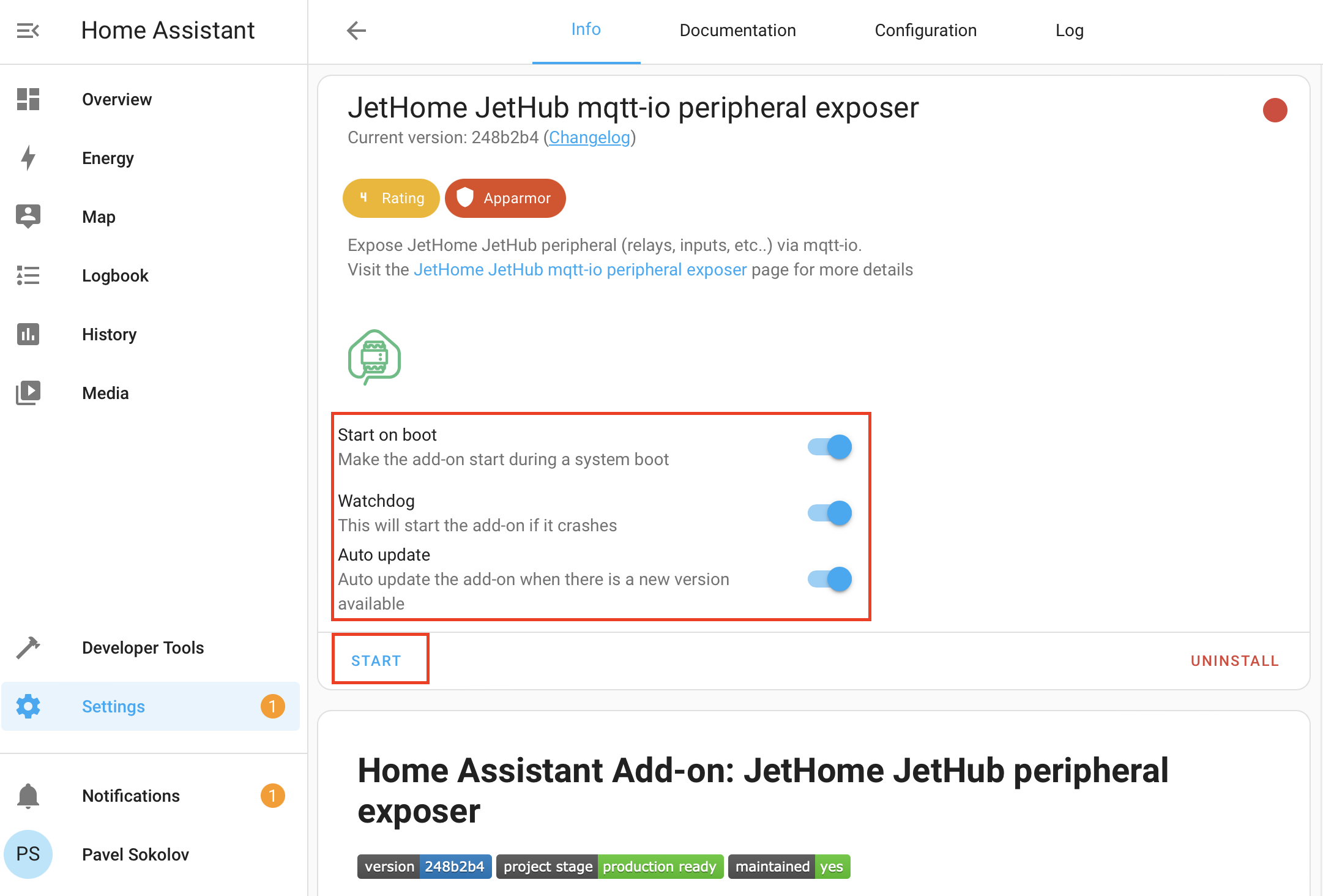
Enable Start on boot, Watchdog, Auto Update, and press the Start button.